1. Choose one photo
Upload a clear photo you have permission to use. You do not need to film a dance or upload a reference video.
ONE PHOTO. YOUR DANCE.
Step into the foldable-phone dance
Bring your photo into the expressive phone reveal, gestures and dance of this fixed video template. Get a 15-second vertical clip with its preset soundtrack, right here on Rap Video AI.
Download completed videos within 7 days. Uploaded photos are retained for up to 3 days.
Upload a clear photo you have permission to use. You do not need to film a dance or upload a reference video.
480p costs 10 credits and 720p costs 22 credits. Both make a 15-second, 9:16 video using the same fixed performance.
After the video is generated, its preset audio is merged and the finished MP4 is saved. Play or download it here or in My Videos.
The iPhone Kupi Dance is a viral video trend featuring an exaggerated foldable-phone reveal, playful facial expressions, and energetic dancing in a nighttime hotel-room setting.
The phrase “iPhone kupi” means “buy an iPhone” in Russian. The trend became widely recognized through viral phone-and-dance videos, including Win William’s “iPhone 5555” performance.
With the iPhone Kupi Dance AI generator on Rap Video AI, you can put yourself into a new version of this playful trend using just one photo. You don’t need a foldable phone, dancing skills, or video-editing experience.
The fun is seeing a familiar face become the star of a viral dance. Instead of recreating the scene yourself, upload one photo and let AI create your personalized 15-second video.
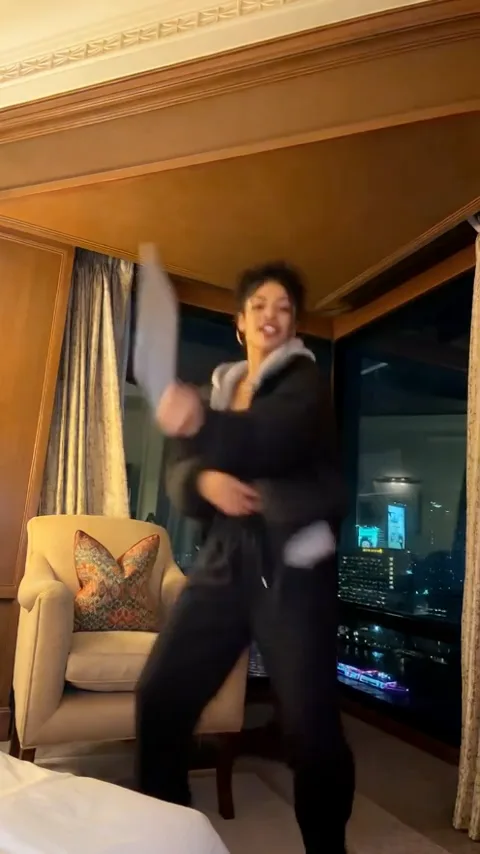
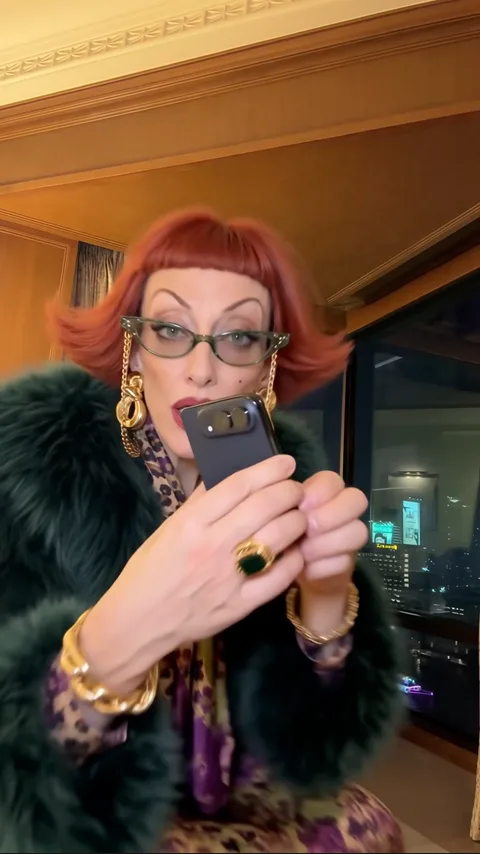
Your character begins near the camera with a playful phone reveal and expressive reactions.
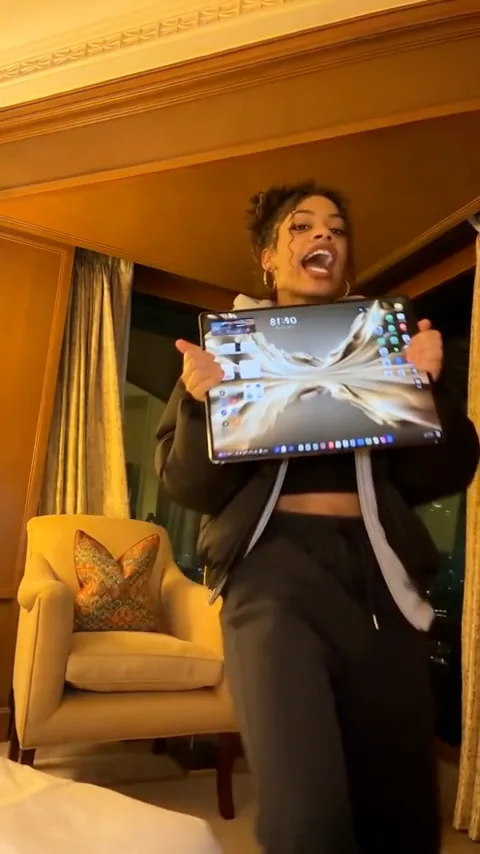
The folding device becomes the center of attention, creating the exaggerated screen effect that makes this trend recognizable.
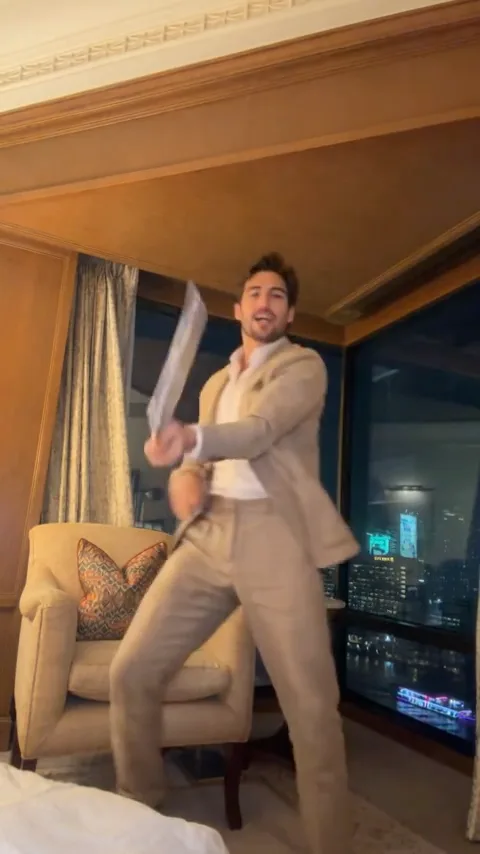
The scene opens into a wider room view, with lively movements and a fun, energetic finish.
Every AI-generated video is unique. Exact movements, facial expressions, phone details, and scene timing may vary.
You don’t need a professional photo. A clear picture from your phone is a great place to start. The goal is to give AI enough detail to recognize the person in your image.
A clear selfie can work well, especially when your face is easy to see. A waist-up or full-body photo can provide extra information about clothing and body proportions.
Choose the clearest photo you have. No photo type can guarantee a perfect AI likeness.
10 Credits
Best for trying the trend for the first time or creating a fun video at a lower credit cost.
22 Credits
Best for users who prefer a higher-resolution result with sharper visual detail.
The finished video is a new AI-generated interpretation, not actual footage of you dancing. Facial features, hands, clothing, props, and movement can vary between generations.
Your video is designed as a 15-second vertical MP4 with sound. You can preview the result and download it when the task is complete.
Completed videos appear in My Videos under your Rap Video AI account. You can return to that page to watch or download your results while they remain available.
Your uploads and generated results are private to your account. On Rap Video AI, uploaded photos are retained for up to 3 days from storage. Completed videos are available to watch and download for 7 days from when they are saved. Opening a video does not extend that period.
If a task is confirmed as failed, the credits used for that task are returned to your account. Photos that do not pass the safety check are not charged. A pending task is not a confirmed failure; contact support if its status needs checking.
No. You can create the effect from a photo using your browser. No special phone or recording equipment is required.
No. The dance is part of the preset AI video experience. You only need to provide a supported photo.
This template uses a preset performance, scene, and soundtrack. Custom dance moves, backgrounds, and music are not available in this template.
This template is designed for one person. Choose a photo with one clearly visible adult for the intended experience.
Only if the person is an adult and has given permission for this AI video. Public figures and minors are not allowed. Follow the photo and acceptable-use rules shown in the generator.
You can download the vertical MP4 and upload it to compatible platforms, subject to their content, music, and AI-generated media rules and any applicable third-party rights.
No. Rap Video AI is an independent AI video creation service and is not affiliated with or endorsed by Apple.