
01 ABOVE THE CROWD
Photo 1 — The Balcony Person
The balcony character watches the crowd from above. Choose the person you want to appear in this part of the story.
TWO PHOTOS. ONE SPOTLIGHT MOMENT.
You on the balcony. Someone special in the spotlight.
Create your own version of the balcony-and-spotlight video trend. Upload two photos, choose who appears in each role, and turn your favorite pair into a 15-second AI video with sound.
WATCH THE MOMENT
See how different people become part of the balcony-and-spotlight scene. Watch the examples, then choose who will take each role in your own video.
YOUR SCENE IN THREE STEPS
No filming, dance practice, or manual video editing needed. Start with two photos and follow three simple steps.
Choose one clear photo for the balcony character and another for the person on the dance floor. You can swap their roles before generating.
Select 480p for 10 Credits or 720p for 22 Credits. Both options create the same preset scene.
Start your video, follow its progress, and find the finished result in My Videos. Preview or download your video when it's ready.
BEHIND THE TREND
The La Tormenta de Arena AI trend turns a dramatic nightclub moment into a personalized video featuring two people.
One person looks down from a balcony above the crowd. The scene then shifts toward the dance floor, where a spotlight reveals someone below.
You may have seen this video style called “Te He Perdido Entre La Gente” or associated with the Spanish film “Tres metros sobre el cielo” (Three Steps Above Heaven) and the song “La tormenta de arena” by Dorian.
Despite its name, this trend is about a nightclub encounter, not a literal sandstorm.
On Rap Video AI, you can make your own AI-generated interpretation of that scene using two photos, without recreating the filming or editing yourself.
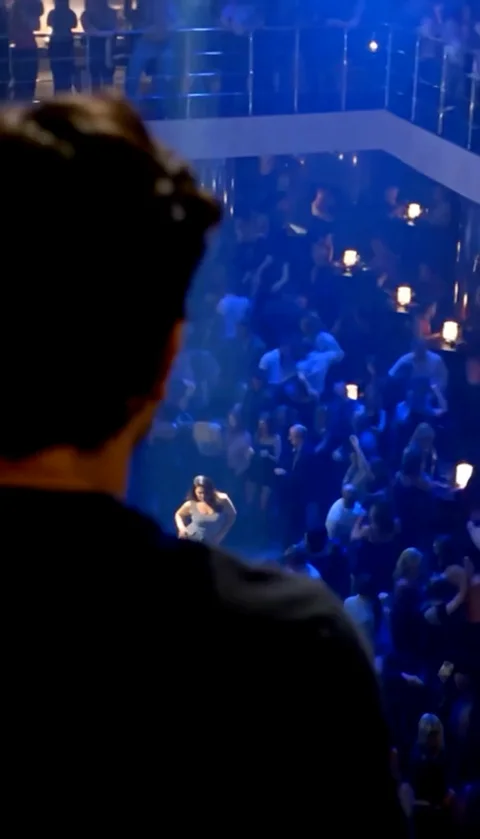
ONE SCENE, THREE MOMENTS
The appeal of this trend is the moment two people notice each other across a crowded nightclub. Here's the visual story behind the effect.
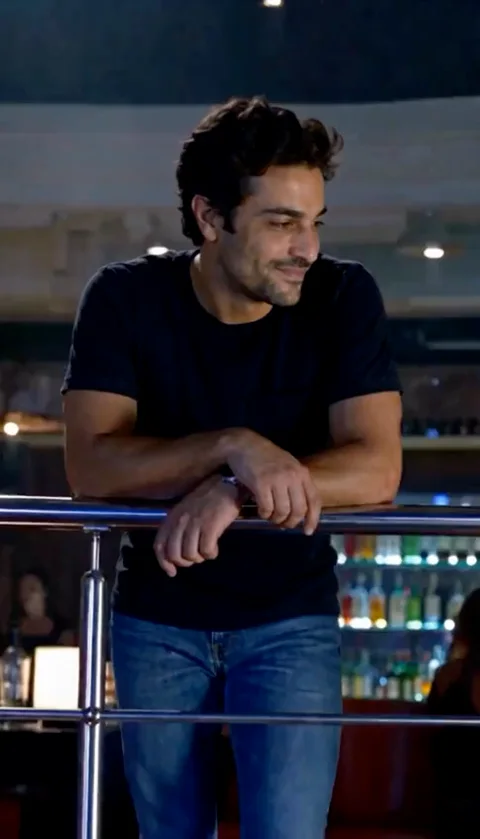 01
Your first character appears above the nightclub floor, looking toward the crowd below.
02The scene shifts toward the dance floor, and the light draws attention to your second character.
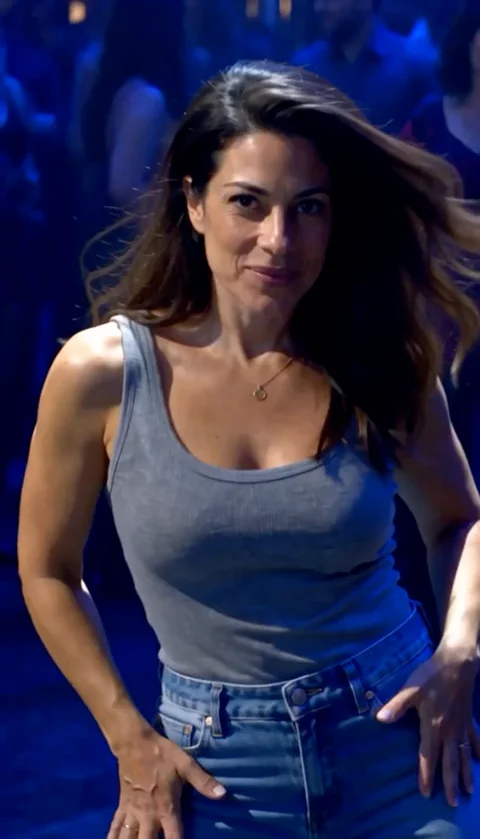 03
The second character becomes the focus of the scene, bringing the balcony-and-spotlight moment together.
Each AI-generated video is unique. Facial expressions, camera movement, clothing details, and timing may vary from the examples.
THE CAST IS YOUR CHOICE
This template gives each photo a different place in the scene. The first person watches from the balcony; the second person is revealed on the dance floor.
The balcony character watches the crowd from above. Choose the person you want to appear in this part of the story.
This character appears below, where the spotlight creates the central reveal. Choose who should be noticed on the dance floor.
Not sure who should appear above or below? Use Swap Roles before generating to switch the two characters. Their roles in the created scene will follow your selection.
You can create your own interpretation with a partner or a friend who agrees to appear in the video.
For couples, the balcony-and-spotlight scene can feel like a dramatic moment of recognition. For friends, the same reveal can become a playful surprise.
The preset scene stays the same, but your choice of people changes the story.
A CLEAR PHOTO MAKES A DIFFERENCE
You don't need professional photography. Clear, well-lit photos give the AI more useful information about the people you want to show.
Yes. A clear selfie is a good starting point if the face is fully visible. A wider photo may also help show the person's clothing and body proportions.
Choose the clearest available photo for each role. Even good photos cannot guarantee a perfect AI likeness.
Use photos of adults only: yourself or people who have agreed to appear. Photos of minors and public figures are not allowed.
THE SAME MOMENT, YOUR CHOICE OF DETAIL
Both quality options create the same La Tormenta de Arena AI scene with two characters.
10 Credits
Best for trying the effect for the first time or creating a fun video while using fewer credits.
22 Credits
Best for users who want a higher-resolution video with sharper visual detail.
Higher resolution can improve visual detail, but it doesn't guarantee more accurate faces, movements, or expressions.
READY FOR YOUR NEXT POST
Your own version of the moment, saved in one place.
Open My Videos →Your finished video is designed as a 15-second vertical MP4 with sound, ready to preview and download when generation is complete.
Your video is saved under your Rap Video AI account. Visit My Videos to check its progress and access your completed result.
You can download the MP4 and upload it to compatible platforms such as TikTok, Instagram Reels, or YouTube Shorts. Follow each platform's rules for AI-generated content and audio.
Your video is newly generated by AI. It is not footage of the people actually appearing together in a nightclub. Faces, hands, poses, and background details may vary from the reference photos.
This template follows Rap Video AI's existing privacy, storage, and credit policies. Uploaded photos are retained for up to 3 days. Completed videos are available for 7 days after saving, so download your result in time.
If a task is confirmed to have failed, its credits are returned under the existing credit rules. An interrupted status check does not mean the task has failed.
A FEW LAST DETAILS
No. Upload your two photos, assign their roles, and choose a quality. The template already has its scene and video style set.
This version is designed for two photos. One person appears on the balcony, and the other appears in the dance-floor spotlight.
Yes. Use Swap Roles before generating to change who appears on the balcony and who appears in the spotlight.
Yes. The finished video includes its preset sound. You don't need to upload a separate soundtrack for this template.
This is a preset video template. The scene and performance are already configured, so custom prompts and scene changes aren't available here.
The Spanish phrase means “I’ve lost you in the crowd.” It’s closely associated with the balcony-and-spotlight video trend and the song “La tormenta de arena.”
Not necessarily. AI-generated results can vary in facial details, expressions, movement, and background elements. The examples show the intended scene and style.
If a task is confirmed to have failed, its credits are returned according to Rap Video AI's existing credit rules. You can check your task status in My Videos.