Best Friends Rap
Turn friendship, jokes, and good times into a fun two-person rap video.
TWO PHOTOS. YOUR STORY.
Turn two photos and your story into a personalized AI rap video with original lyrics, vocals, and beats.
AI Rap Video Ideas
Explore how friendship, shared ambitions, birthday wishes, and playful rivalries can become a two-person AI rap performance. These examples offer starting points for your own story: celebrate a memory, thank someone special, or turn an everyday joke into a musical exchange.
Turn friendship, jokes, and good times into a fun two-person rap video.
Two friends rap about chasing big dreams, making moves, and celebrating success.
Celebrate a birthday with upbeat rhymes, fun moments, and a personalized rap performance.
Watch two friends trade playful rhymes and show off their rap skills in a street-style showdown.
Turn your love story, sweet memories, and special moments into a romantic two-person rap duet.
Celebrate graduation with a personalized rap about friendship, hard work, and new beginnings.
Turn family memories, inside jokes, and lifelong bonds into a fun and heartfelt rap performance.
Transform unforgettable trips, funny travel moments, and shared adventures into an energetic rap duet.
An AI rap video generator turns visual references and a written idea into a new music video. With AI Rap Video, you upload two reference photos, describe a personal story, and choose a background and generation settings. The AI uses those inputs to create a scene in which the two people perform together, with lyrics shaped around your idea.
The result can combine AI-written lyrics, rap vocals, a hip-hop backing track, and a two-person performance in the selected setting. This is a newly generated AI rap music video, rather than a photo slideshow or two still images placed side by side. The photos guide the appearance of each performer; they are not recordings of the people actually speaking or singing.
A rap song generator focuses on creating audio. An AI rap video maker also creates the visual performance, bringing the story, performers, and music into one clip. That makes it useful for a personal greeting, a friendship memory, or a playful exchange. Appearance, mouth movements, and delivery can vary, so review the finished video before sharing it.
Explore viral AI video effects. Pick a template, upload your photos, and make your own.
You don't need to record vocals, write lyrics, or edit a music video. Create your AI rap performance in three simple steps.
Add one reference photo to Person 1 and another to Person 2. Choose clear, well-lit faces so the two performers are easy to distinguish. You can use separate photos; the people do not need to have been photographed together.
Describe who the two people are and what they want to celebrate or say. Add a memory, a shared joke, or a mood to guide the performance. Ordinary sentences are enough; AI uses your story to prepare lyrics in the rap language you choose.
Choose the rap language, background, model, duration, resolution, and format. Review the required credits before submitting. When the video is generated and saved, preview the result and download a copy within its seven-day availability period.
Choose a well-lit image with a clearly visible face for each performer. A natural front-facing or nearly front-facing angle gives the AI a useful reference for facial features. Avoid heavy blur, deep shadows across the face, and objects such as hands or sunglasses that hide important details.
Prefer a photo of one person to a crowded group image. Put the first person in the Person 1 slot and the second in Person 2; those separate references help identify the two performers. Check that facial features remain recognizable at the size you upload, especially if a photo has been heavily cropped or filtered.
Use your own photos or images you have permission and the necessary rights to use. These suggestions help you prepare better references; they do not guarantee an exact likeness or a perfect performance. The usual upload checks still apply, and the finished result depends on both the references and the selected model.
Upload two photos, add your story, and let AI turn them into a rap performance.
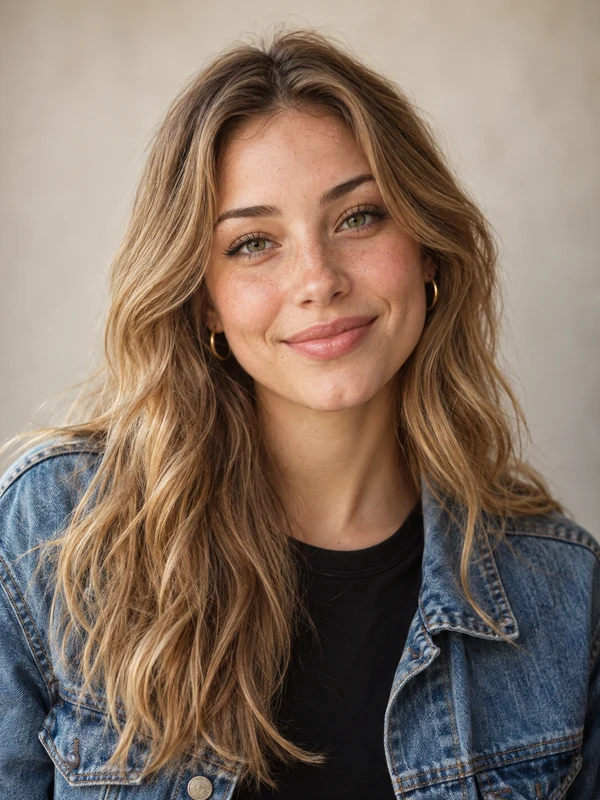 Photo 1
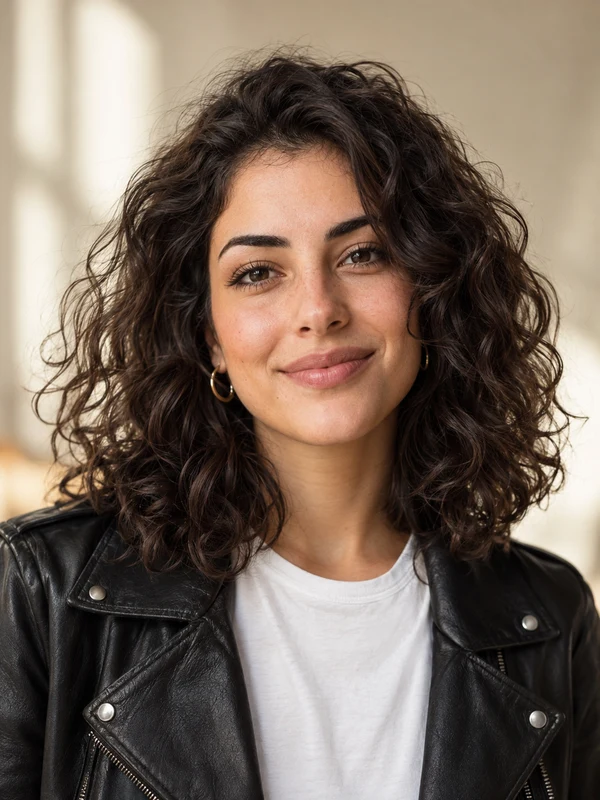 Photo 2
We've been best friends since school. We've shared so many funny memories.
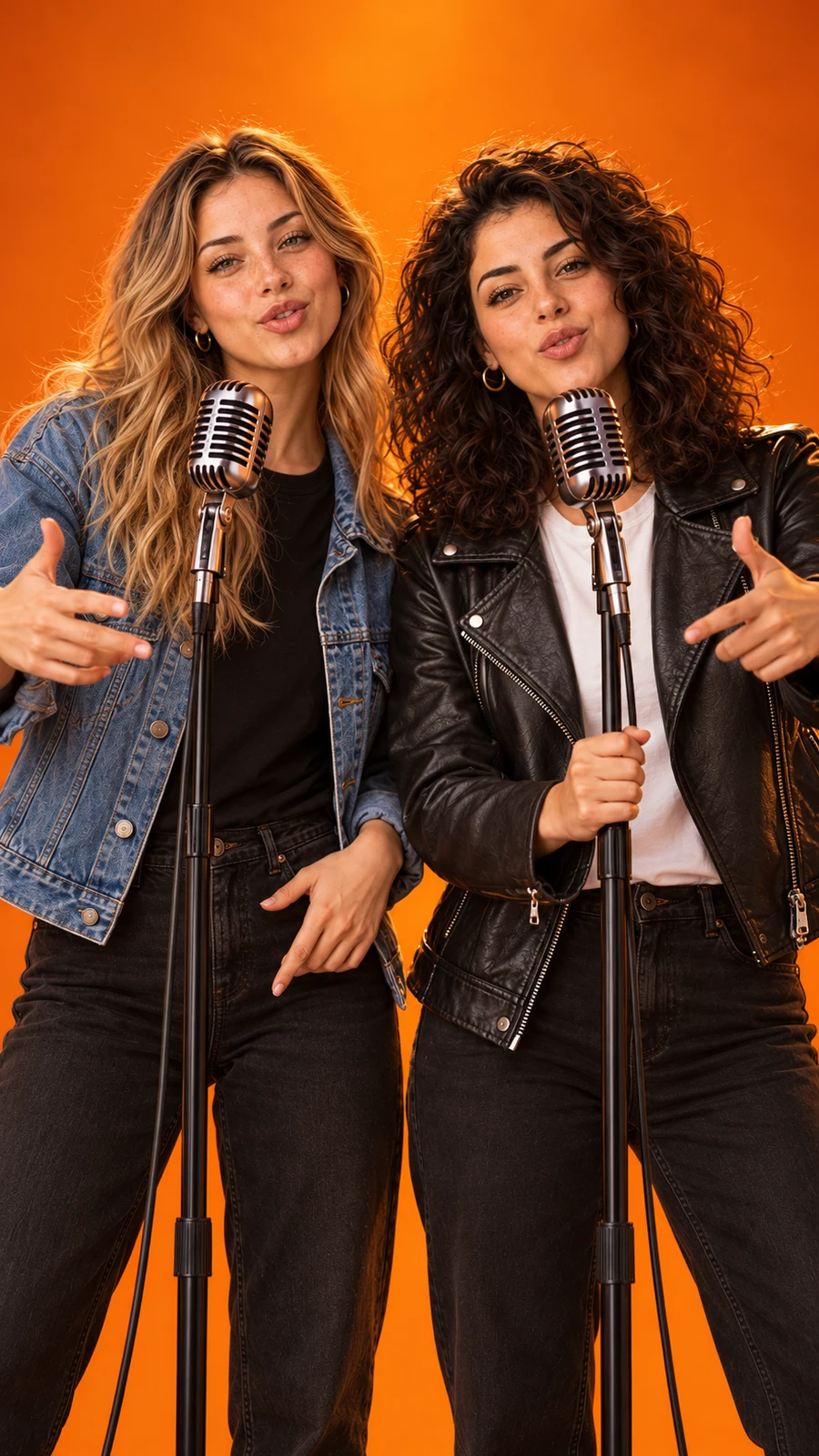
Original lyrics · Rap vocals · Hip-hop beat · Video
AI creates lyrics, vocals, beat and performance.
You can start with an ordinary story instead of writing rap lyrics yourself. Describe a friendship, birthday celebration, personal achievement, or funny situation. AI prepares the lyrics and performance instructions for a two-person rap video.
Start with the relationship between the two people: friends, partners, siblings, or classmates. Then explain what the video should express. A specific memory, a small achievement, or an affectionate joke gives the AI more to work with than a broad request such as “make something cool.”
Add the mood you want, such as warm, celebratory, confident, or gently teasing. Include meaningful details and keep the main idea focused enough for your chosen duration. You do not need to write complete lyrics or plan every line; AI develops lyrics and a performance arrangement from your description.
My sister and I are celebrating her thirtieth birthday. We always burn the first batch of pancakes on our birthday mornings. I want a cheerful rap about that tradition and how she makes ordinary days fun.
My partner and I met while waiting for a delayed train. We still take weekend trips together. I want a warm, playful rap about turning that long wait into the beginning of our favorite adventure.
My best friend and I are graduating after years of late-night study sessions. We kept each other going with terrible coffee and jokes. I want an upbeat rap celebrating our effort and the next chapter.
My roommate and I argue about who makes the best pasta. I overcook mine, and he leaves every pan in the sink. I want a funny, friendly rap battle that ends with us sharing dinner.
Use these stories as starting points and replace the details with your own. Prompts guide the result; repeated generations can produce different lyrics and performances.
Choose the language you want the performers to rap in. AI uses that selection to prepare the lyrics and guide the performance, so a story written in your everyday language can become a rap intended for a different audience.
Eight options are available: English (US), Spanish (Latin America), Portuguese (Brazil), Chinese (Mandarin), Japanese, Indonesian, Korean, and Arabic.
Write your story in one language. Create your rap in another.
The story is your source material; the generator’s rap-language selection sets the intended performance language. Pronunciation, rhythm, and delivery may differ between languages and models. Review the finished clip, especially when names or personal expressions matter to your story.
Combine your language choice with a stage, model, video length, and resolution that fit the clip you want to make.
Start with where you will watch or share the clip, how much story it needs to tell, and the credits you want to spend. Then choose a supported combination in the generator.
Standard and Fast support 480p and 720p. Pro adds 1080p, while Ultra offers 1080p and longer duration options. Choose by the specifications you need and the displayed credit cost; model names alone do not tell you which result will suit your story.
All four models offer 5, 8, 10, 12, and 15 seconds. Ultra also supports 20 and 30 seconds. A short clip suits one clear message; a longer option can leave more room for a fuller story and additional lyrics. Keep your prompt focused at any length.
720p is a useful starting point for everyday viewing. Compare its credit cost with 480p or, on Pro and Ultra, 1080p. Higher resolution changes the output dimensions; it does not guarantee more accurate faces, lyrics, or mouth movements.
Choose 9:16 for a vertical social-media clip, 16:9 for a horizontal presentation, or 1:1 for a square frame. All four models offer these formats. Think about the destination before generating so the composition fits how you intend to show the video.
Select Classic Orange, Luxury Lobby, Neon Studio, or Street Cypher to guide the setting. The selected background image becomes a visual reference for the new video. Match it to the mood of your story, such as a celebration or a friendly battle.
Use credits across the site for AI rap videos and supported templates. Buy once, create anytime.
See how many credits each video costs based on your model, resolution, and video length.
| Model | 480p | 720p | 1080p |
|---|---|---|---|
| StandardSeedance 2.0 Mini | 5 credits | 10 credits | — |
| FastSeedance 2.0 Fast | 8 credits | 17 credits | — |
| ProSeedance 2.0 | 10 credits | 20 credits | 50 credits |
| UltraSeedance 2.5 | 17 credits | 37 credits | 93 credits |
It turns two photos, your story, and selected settings into a new two-person rap performance with music. Unlike an audio-only rap song generator, it also creates the visual scene, using the photos as references.
Upload a photo for each person, describe your story, and choose a rap language, background, and supported video settings. Review the credit cost, then submit. Preview and download the video once it is generated and saved.
Yes. AI develops lyrics from your story and generates rap vocals and a hip-hop accompaniment for the video. You do not need to record vocals or write a song. Delivery and lip-sync accuracy vary.
No. Prepare clear reference photos, describe your idea, and choose settings. The generator creates the video without an editing timeline or separate tracks to assemble. You only need to review the finished clip.
Use two clear, well-lit photos, preferably one person per image. Choose a natural front-facing or nearly front-facing angle and avoid blur or obstruction. Upload only photos you own or have the necessary rights to use, with explicit permission from anyone else shown for this AI processing.
Yes. Describe the occasion, the performers’ relationship, and meaningful details. You can request birthday wishes, a warm love story, or a friendly comic exchange. Keep jokes respectful and check the result before sharing.
Choose by supported settings and credit cost. Standard and Fast offer 480p or 720p with durations up to 15 seconds. Pro adds 1080p; Ultra adds 20- and 30-second options as well. All four offer vertical, square, and horizontal formats.
Yes. Choose English (US), Spanish (Latin America), Portuguese (Brazil), Chinese (Mandarin), Japanese, Indonesian, Korean, or Arabic. Your story and selected rap language can differ. Pronunciation, rhythm, and performance may vary across languages and models.
Each generation uses credits based on its model, duration, and resolution. The generator displays the required amount before you submit, and the Video Credit Costs table lets you compare combinations. Credit packs are one-time purchases with no automatic renewal; this is not an unlimited free-generation service.
When a generation task is confirmed to have failed, its consumed credits are returned through the existing failure process. This restores service credits; it is not a cash refund. A status timeout, an uncertain provider result, or a delay saving the video does not by itself confirm failure. Check your account history and contact support if the status remains unclear.
Purchased credits never expire. If the entire pack from an order is completely unused, you may request a full refund within 7 days after successful payment by emailing support@rap-videoai.com. Requests require review. Partly or fully used packs generally do not qualify for a full-order refund; exceptions and statutory rights are addressed in the Refund Policy. Credit validity is separate from the refund-request period and media availability. Full conditions: Refund Policy
Yes. Preview and download your completed video through your account promptly and within 7 days of its successful save. Reopening the video or task does not extend this period. You can share your downloaded copy subject to the rights you hold, the Terms, and the destination platform’s rules. Site-hosted video access is not permanent. Usage conditions: Terms of Service
Your reference photos are used by third-party AI providers to review inputs and generate your video. On this website, photo access lasts 3 days from first storage and video access lasts 7 days from successful saving, with access restricted to the authorized account. Storage cleanup may run separately after access expires. Third-party copies follow independent retention rules; these periods do not guarantee simultaneous deletion. Full details: Privacy Policy
Two photos. One story. Your own rap performance.
Turn your next funny idea, friendship moment, birthday message, or personal story into a two-person AI rap video.
Upload your photos, choose your settings, and start creating.